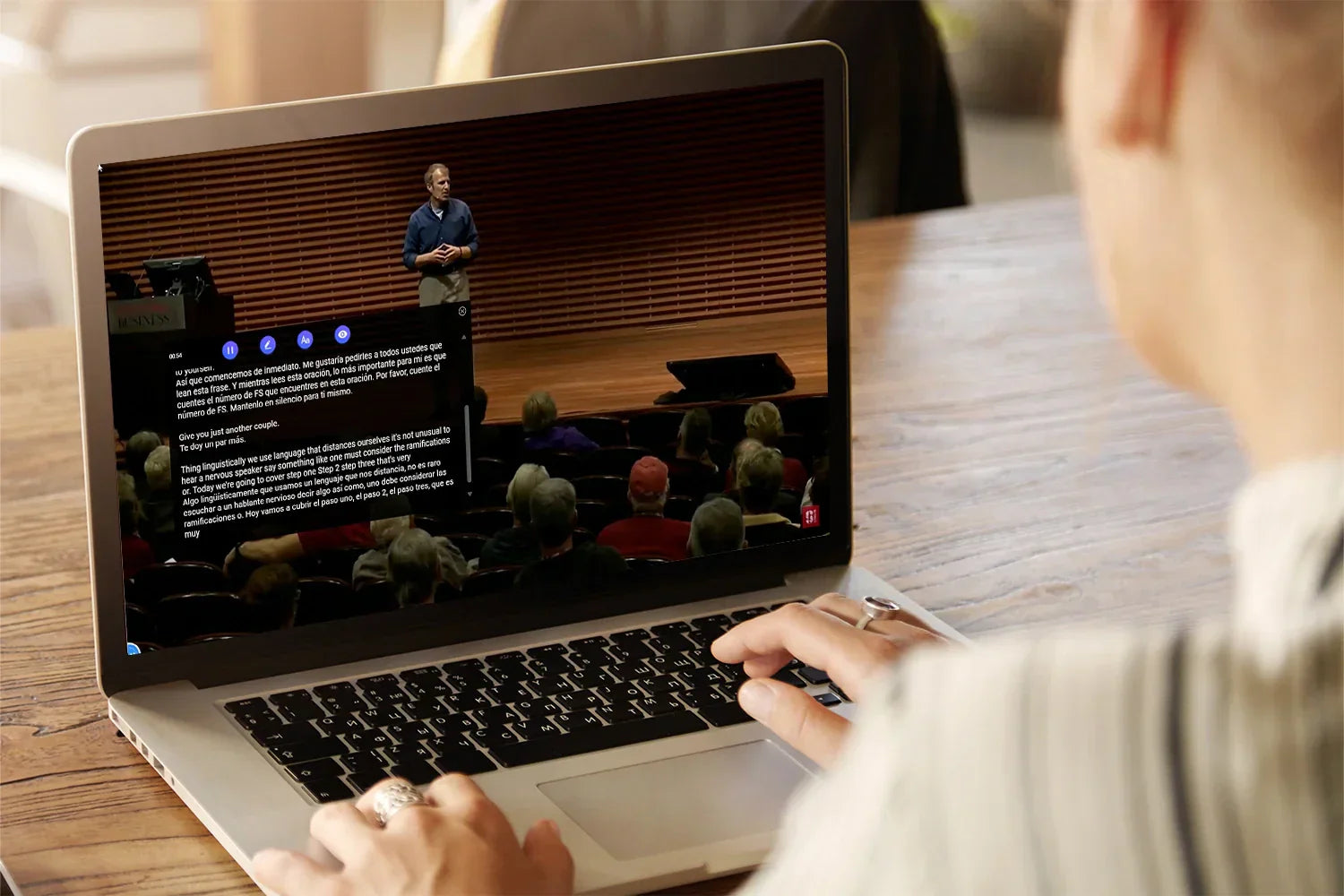
YouTube has become one of the largest sources of education, entertainment, and information on the internet. Whether you’re learning programming, following AI trends, watching interviews, improving your language skills, or exploring international creators, there’s a good chance some of the best content you want to watch isn’t in your native language.
That’s exciting — but it also creates a problem.
Even though YouTube offers built-in subtitles and auto-translation, the experience can still feel frustrating:
- Subtitles are inaccurate
- Translations sound robotic
- Captions appear out of sync
- Some videos have no translated subtitles at all
- Viewers constantly pause videos to use external translation tools
And this doesn’t only affect non-English speakers.
Today, many English-speaking users regularly watch creators from Japan, Korea, China, Germany, Spain, and other regions because some of the most valuable online content is increasingly global.
That’s why searches for terms like:
- How to translate YouTube videos automatically
- YouTube subtitle translator
- AI subtitle translator
- Bilingual subtitles for YouTube
- YouTube translation extensions
have grown rapidly over the last few years.
The good news is that AI-powered subtitle technology has improved dramatically.
Instead of manually copying subtitles into translation tools or constantly switching between tabs, modern browser extensions can now translate YouTube videos automatically in real time — directly inside the player.
But before looking at newer AI-powered solutions, it’s worth understanding how YouTube’s built-in translation system works first — and why many users still look for alternatives.
Does YouTube Have Built-In Translation?
Yes. YouTube already includes automatic captions and subtitle translation.
If subtitles are available on a video, you can:
- Open the Settings menu
- Turn on Subtitles/CC
- Click “Auto-translate”
- Choose your language
For casual viewing, this can sometimes work reasonably well.
However, YouTube’s native subtitle system still has several limitations.
1. Limited Translation Accuracy
Traditional machine translation often struggles with slang, technical discussions, podcasts, interviews, and educational videos.
As a result, subtitles can feel awkward or difficult to understand.
2. Inconsistent Subtitle Timing
Auto-generated captions are not always synchronized properly with the speaker, especially in fast-paced videos.
3. Missing or Incomplete Captions
Many videos still don’t provide subtitles at all, which limits YouTube’s built-in translation capability.
4. Poor Support for Technical Content
Topics like AI, software engineering, finance, or science often contain specialized vocabulary that traditional subtitle translation systems misunderstand.
Because of these limitations, many users are now turning to AI-powered YouTube translation extensions for a smoother viewing experience.
The Easier Way to Translate YouTube Videos Automatically
Over the last few years, AI-powered subtitle technology has improved dramatically.
Instead of relying entirely on YouTube’s default subtitle system, many viewers are now using browser extensions designed specifically for multilingual video watching.
One example is iTour Video Translation, a browser extension built to make YouTube videos easier to understand across different languages.
Rather than interrupting the viewing experience with external translation tools or manual subtitle workflows, iTour Video Translation works directly inside YouTube and translates subtitles in real time while the video plays.
The idea is simple: make foreign-language content feel as easy to watch as native-language content.
Step 1: Install iTour Video Translation
Getting started is straightforward.
Simply:
- Install the Chrome extension
- Pin it to your browser
- Open YouTube normally
There’s no need to download subtitle files, upload transcripts, use third-party subtitle websites, or constantly switch tabs.
Everything works directly within YouTube itself.
For users who regularly watch educational videos, podcasts, interviews, or tutorials, removing those extra steps creates a much smoother experience.
Step 2: Open Any YouTube Video
Once installed, iTour Video Translation automatically detects subtitle availability on supported videos.
The extension integrates naturally into the YouTube player, so subtitles can be translated while the video continues playing normally.
This feels much more seamless compared to older translation workflows that require manual copying, separate translation tools, or constant interruptions.
It’s especially useful for:
- Online courses
- AI tutorials
- Tech videos
- Documentaries
- Interviews
- Long-form podcasts
Instead of focusing on translation mechanics, viewers can stay focused on the content itself.
Step 3: Choose Your Preferred Language
iTour Video Translation supports subtitle translation across 100+ languages, including:
- English
- Spanish
- French
- German
- Japanese
- Korean
- Chinese
- Portuguese
- Arabic
- Hindi
Users can also enable bilingual subtitles, which display both the original subtitle and translated version simultaneously.
Original Subtitle:
“今日は新しいAIツールについて話します。”Translated Subtitle:
“Today we’re talking about a new AI tool.”
This side-by-side subtitle format is especially helpful for language learners because it allows viewers to absorb vocabulary and sentence structure naturally while watching videos.
Step 4: Watch Videos Naturally
One of the biggest improvements in modern AI subtitle tools is how natural the viewing experience feels.
With iTour Video Translation:
- Subtitles stay synchronized
- Translations feel more readable
- Captions remain visually clean
- Videos become easier to follow continuously
That becomes particularly important when watching educational content, technical discussions, business interviews, research videos, and fast-paced podcasts.
A smoother subtitle experience makes international content dramatically more accessible.
And after using real-time subtitle translation regularly, many users realize how limiting older subtitle workflows used to feel.
Why AI Translation Works Better Than Traditional Subtitle Translation
Traditional subtitle translation systems usually rely on direct word-by-word conversion.
That approach works for simple sentences, but it often struggles with nuance and context.
Modern AI translation systems work differently.
Instead of translating isolated words, they analyze:
- Sentence meaning
- Conversational context
- Grammar structure
- Tone
- Phrasing patterns
As a result, subtitles sound far more natural and readable.
For example, technical phrases in AI or programming videos are often translated incorrectly by older systems because they interpret terms too literally.
AI-powered subtitle tools are much better at understanding context, especially for:
- Coding tutorials
- AI discussions
- Startup interviews
- Finance videos
- Internet slang
- Educational lectures
Modern AI subtitle translation feels significantly more natural compared to traditional machine translation systems.
Best Use Cases for Automatic YouTube Translation
Automatic subtitle translation is useful for much more than entertainment.
For many people, it has become part of how they learn, research, and discover information online.
1. Learning From International YouTubers
Some of the most insightful creators today publish content outside the English-speaking world.
Translation tools make it possible to learn directly from global educators, niche experts, independent creators, and regional communities without waiting for official translations.
2. Watching Educational Content
YouTube has become one of the largest free education platforms online.
People use it every day for programming tutorials, AI explainers, software walkthroughs, design lessons, online lectures, and business analysis.
Real-time subtitle translation helps unlock educational content regardless of language.
3. Following Global News and Podcasts
Many users now follow international creators to gain broader perspectives.
Subtitle translation tools make it easier to understand podcasts, creator interviews, conference talks, global news discussions, and startup conversations — even when the original content isn’t available in English.
4. Language Learning
Bilingual subtitles create a highly effective language immersion experience.
Watching videos with both original and translated subtitles helps users improve listening comprehension, recognize sentence structures, build vocabulary naturally, and understand native pronunciation.
This is one reason bilingual subtitle extensions have become increasingly popular among language learners.
Final Thoughts
YouTube has become a truly global platform, but language barriers still limit access to some of the world’s best content.
While YouTube’s built-in subtitles are useful for basic viewing, AI-powered tools like iTour Video Translation make multilingual videos much easier to watch with real-time translation and bilingual subtitles.
Whether you’re learning new skills, following international creators, or exploring content from around the world, automatic subtitle translation can completely change the way you experience YouTube.


Leave a comment
This site is protected by hCaptcha and the hCaptcha Privacy Policy and Terms of Service apply.